
How to Build a LinkedIn Profile That Wins Freelance Work

Most freelancer LinkedIn profiles read like resumes. Job titles, dates, a list of duties, maybe a photo from a wedding in 2019. Then the owner wonders why the inbox stays quiet while other freelancers get asked about rates by strangers.
The difference is not talent or luck. Clients do not read profiles the way recruiters do. A recruiter checks whether you fit a job description. A potential client is asking a different question: can this person solve my problem, and can I trust them with money? A profile that wins freelance work is built to answer those two questions in under thirty seconds.
This guide rebuilds your profile section by section, using LinkedIn’s own published data on what actually gets profiles seen. You can finish the whole thing in an afternoon.
The quick answer
A freelance-winning LinkedIn profile has six parts working together: a headline that names who you help and what outcome you deliver, a professional photo, an About section written to the client’s problem instead of your biography, a Featured section with two to four proof pieces, a skills list matched to what clients search for, and a handful of recommendations from past clients or colleagues. Set your profile to show you offer services, and spend fifteen minutes a few times a week being visible. Each part is below with the exact how.
Why LinkedIn is worth the afternoon
The scale argument is simple. LinkedIn reports more than 1.4 billion members and 71 million companies on the platform. Somewhere in that pool are your next fifty clients, and a chunk of them are already searching: LinkedIn says nearly half (48%) of hirers on the platform now explicitly use skills data to fill roles, and skills searches do not care whether you want a job or a contract.
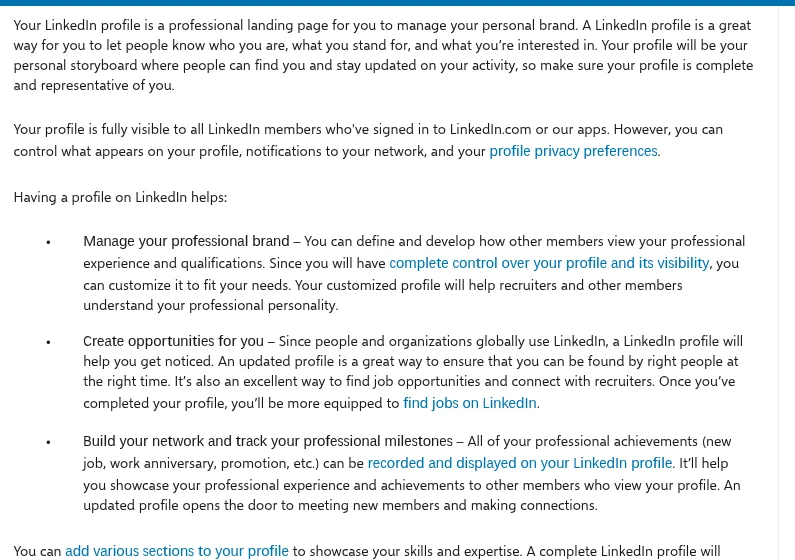
LinkedIn itself describes your profile as “a professional landing page for you to manage your personal brand,” and that framing is exactly right for a freelancer. You are a business of one. Your profile is your storefront, and it works for you around the clock, including while you sleep and while you are doing paid work.
The platform even scores your progress: the profile completion meter on desktop and mobile tracks how close you are to “All-Star” status, LinkedIn’s label for a complete profile. Complete profiles rank better in search and convert more viewers into messages.
Step 1: Write a headline that sells an outcome
Your headline follows you everywhere on LinkedIn: search results, comments, connection requests, messages. It is the most-read line of text you own on the internet, and “Freelance Graphic Designer” wastes it.
Use this formula: who you help + outcome you deliver + proof or specialty.
| Weak headline | Client-winning headline |
|---|---|
| Freelance Writer | I write email sequences that turn free trial users into paying customers – SaaS copywriter |
| Web Developer | I build fast WordPress sites for clinics and law firms – 40+ launches, Core Web Vitals pass |
| Virtual Assistant | I give founders back 10 hours a week – inbox, calendar, and ops support for agencies |
| Marketing Consultant | Helping B2B startups get their first 1,000 customers – content and paid acquisition |
Read both columns out loud. The right column answers “what’s in it for me?” before the client even clicks. You have 220 characters; use most of them.
Step 2: Fix your photo and banner
This is the highest-leverage minute of the whole rebuild. According to LinkedIn’s own figures, adding a profile photo gets you up to 21 times more profile views and 9 times more connection requests. No other change comes close.
You do not need a studio. Stand facing a window for soft light, use a plain wall, have someone take the shot at eye level (or prop your phone up and use the timer), and crop from mid-chest to just above your head. Smile like you are greeting a client you like. Wear what you would wear on a video call with them.
The banner image behind your photo is free advertising space most people leave as the default blue. Make one in any design tool with your headline outcome and a call to action, in 1584 x 396 pixels. A freelancer’s banner that says “Email copy that converts – booking projects for March” beats a stock city skyline every single time.
Step 3: Write your About section for the client’s problem
The resume version of an About section starts with “I am a passionate professional with 7 years of experience.” The client-winning version starts with the client’s headache.
Follow this four-part structure:
- The problem, in their words. “Your trial users sign up, click around for two days, and never come back.”
- The outcome you deliver. “I write onboarding email sequences that pull them back in and show them the moment your product clicks.”
- Proof. Two or three specific results with numbers: clients, projects, measurable outcomes. “In the last year my sequences have lifted trial-to-paid conversion for four SaaS clients, by 18% on average.”
- How to hire you. Tell them exactly what to do next: “Message me here, or email me at you@example.com with a link to your product. I reply within one business day.”
Write in the first person, in short paragraphs, with line breaks. Nobody reads a wall of text on LinkedIn, especially on a phone, where most of your profile views happen.
Step 4: Turn the Featured section into your portfolio
Featured sits right under your About section and displays big, visual cards. It is the closest thing LinkedIn gives you to a shop window, and most freelancers leave it empty.
Pin two to four items: your best case study, a one-page services overview, a client result screenshot you have permission to share, or a strong post you wrote that shows how you think. Each card should answer “what would make a client stop scrolling here?” If you do not have client work you can show yet, build one or two spec pieces, and our guide on finding your first 10 freelance clients without a portfolio walks through exactly how to bootstrap that proof.
Step 5: Get strategic about skills
Skills are not decoration. They are how LinkedIn’s search and recruiting tools decide whether you exist. LinkedIn’s data shows members who list at least one skill receive up to 2 times more profile views and connection requests, and up to 4 times more messages. And as noted earlier, 48% of hirers on the platform explicitly filter by skills.
You can list up to 50 skills from a library of over 41,000 titles. Resist the urge to dump everything you have ever touched. Clients search for the thing they need done: “email copywriting,” “WordPress development,” “bookkeeping,” not “team player.” List the 10 to 15 skills you actually want to be hired for, put the three most valuable at the top (LinkedIn features your top three), and check the exact wording clients use by reading job posts and project briefs in your niche.
Step 6: Reframe your experience as client outcomes
Even if your Experience section lists past employment, rewrite every entry around results, not duties. “Responsible for managing social media accounts” says nothing. An outcome bullet like “grew the company’s LinkedIn following from 800 to 11,000 in 14 months, generating 30 inbound demo requests” tells a client what buying you gets them. That second line is an invented example, but notice the shape: numbers, a timeframe, and a business result. Write yours from your real projects.
For your current freelance practice, create one entry: your business name (even if it is just your name), your title as the service you sell (“Freelance Conversion Copywriter”), and three to five bullets of your best client outcomes. LinkedIn’s own research found that listing a current position can lead to 8 times more profile views, so this entry matters even if you are brand new: “Freelance [service]” counts.
Step 7: Switch on the client-facing settings
Two settings take five minutes and change who can find and hire you:
- Add your services. LinkedIn lets you list the services you provide on your profile, which makes you eligible to appear when members search for providers. You will find the option near the top of your profile under “Open to” or the services section, depending on your region and app version.
- Claim a custom URL. Change your profile link from linkedin.com/in/jane-smith-8a42b to linkedin.com/in/janesmithcopy. It looks professional on proposals, invoices, and your email signature. Edit it from the public profile settings page.
While you are there, set your profile visibility to public. A freelancer with a private profile is a shop with the shutters down.
Step 8: Collect recommendations like they are reviews
Recommendations are LinkedIn’s version of client testimonials, and they carry more weight than anything you write about yourself because someone else put their name on them.
Ask every client after a successful project, while the win is fresh. Make it easy: tell them the two or three things you would love them to mention (the outcome, the communication, the deadline behavior) so they are not staring at a blank box. Five specific recommendations beat twenty generic “great to work with” ones.
The fastest way to receive them is to give them. Write genuine recommendations for past clients and collaborators; most people happily return the favor.
Step 9: Stay lightly visible
You do not need to become a LinkedIn influencer. You need to not look abandoned. A profile untouched for a year reads like a closed business, and LinkedIn’s own guidance is blunt about it: keep your profile complete and updated, because it is your personal storyboard where people find you and stay current on your activity.
A sustainable cadence for a busy freelancer: comment thoughtfully on two or three posts from people in your clients’ world each week, share one short post a week about your work (a lesson from a project, a before-and-after, a strong opinion about your craft), and reply to every comment you get. Fifteen minutes, three times a week. That is enough for the algorithm and for the humans who check whether you are active before messaging you.
FAQ
How long does it take to get freelance clients from LinkedIn?
Expect the profile rebuild itself to take one focused afternoon. Inbound interest usually follows activity, not just a good profile: freelancers who combine a client-focused profile with consistent light engagement typically see their first inbound messages within one to three months. Outbound (politely pitching people you have engaged with) shortens that dramatically.
Do I need LinkedIn Premium to get freelance work?
No. Everything in this guide, including the services listing, Featured section, skills, and recommendations, works on a free account. Premium adds extras like more InMail credits and applicant insights, but a well-built free profile outperforms a neglected Premium one every time.
Should my profile say “freelance” or sound like a company?
Say what you are, clearly. Clients hiring freelancers are often specifically looking for one: they want a person, not an agency’s account manager. “Freelance conversion copywriter” filters in exactly the right buyers and filters out people looking for full-time hires.
How many skills should I list on my profile?
LinkedIn allows up to 50, but more is not better. List the 10 to 15 skills you actually want to be hired for, worded the way clients search for them, and pin your three most valuable at the top. A focused list beats a padded one because LinkedIn’s search matches your profile to the exact phrases hirers type.
What if I am new and have no client results to show yet?
Build spec work: redo a real company’s landing page email, design a mock brand for an imaginary client, document the process, and feature it. Then do one or two discounted or free projects for real organizations in exchange for a recommendation. Everyone’s first three portfolio pieces are manufactured; the trick is manufacturing them honestly.
Sources
- LinkedIn Blog – Tuesday Tips: How to be an All-Star with your LinkedIn profile (photo, position, education, and industry view statistics)
- LinkedIn Talent Blog – How to add skills to your LinkedIn profile, and why it is important (skills statistics and the 48% hirer figure)
- LinkedIn Help – Create a good LinkedIn profile
- LinkedIn About Us – membership and company statistics
All figures verified against these sources on November 8, 2026.
The bottom line
A LinkedIn profile that wins freelance work is not a resume with better formatting. It is a sales page where every section answers the client’s two questions: can you solve my problem, and can I trust you. Headline as promise, photo as handshake, About as pitch, Featured as proof, skills as search engine, recommendations as reviews. Build it once this afternoon, keep it lightly warm with fifteen minutes a few times a week, and it becomes the only salesperson who works for you around the clock. It is also one of the most practical entries in a broader skill stack, which our digital skills guide maps out for every stage of a modern career.






One Comment