
What Is an AI Agent? A Plain-English Guide for Beginners

You have seen the phrase everywhere this year: AI agent. Companies announce agents for email, agents for shopping, agents that use a computer for you. The word sounds big, and most explanations either drown you in jargon or wave their hands and say “it is like an employee.” Neither helps.
This guide explains what an AI agent actually is, in plain English. No jargon, no hype. By the end you will know how agents think, how they differ from the chatbots and automations you already know, and how to try one without handing it the keys to your life.
Quick answer: An AI agent is software that pursues a goal on its own. You give it an outcome (“plan my week around these deadlines” or “research these three competitors”), and it figures out the steps, uses tools, checks its own work, and keeps going until the job is done or it gets stuck. A chatbot answers. An automation follows a fixed path. An agent decides the path.
What an AI agent is, in plain English
Google Cloud defines AI agents as “software systems that use AI to pursue goals and complete tasks on behalf of users,” with reasoning, planning, and memory, plus “a level of autonomy to make decisions, learn, and adapt.” Microsoft’s version is almost the same: an agent “perceives its environment, makes decisions, and takes actions to achieve specific goals.”
Strip both definitions down and you get three ingredients:
- A goal. You tell it what done looks like, not how to get there.
- Tools. It can reach outside itself: search the web, read your calendar, open files, call other software.
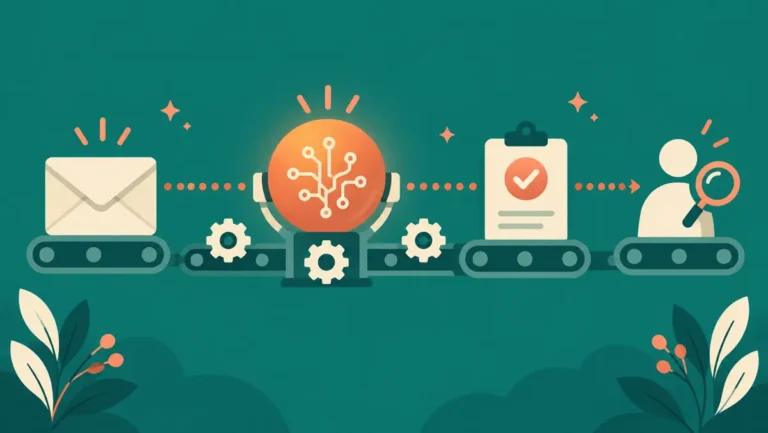
- A loop. It looks at the situation, decides the next step, takes it, checks what happened, and repeats until the goal is met.
That third ingredient is what makes an agent an agent. A normal program runs top to bottom like a recipe. An agent is more like a person you hired for an afternoon: you describe the outcome, it chooses the steps, and it adjusts when something unexpected happens.
If you are new to the whole idea of AI doing work for you, our complete guide to AI automation covers the foundations this article builds on. Agents are the most advanced stop on that journey, so it pays to understand the simpler stops first.
The agent loop: how an AI agent works
Every AI agent, from the simplest to the most expensive enterprise system, runs the same basic cycle. Microsoft describes it as a continuous cycle of perception, reasoning, and action. Here is what that looks like in practice, with a goal of “summarize this week’s industry news and email me a draft”:
- Goal. You state the outcome in plain language.
- Observe. The agent gathers information: searches the web, opens pages, reads what it finds.
- Plan. It decides what to do next based on what it just saw. Ten sources found? Maybe narrow to the five most credible.
- Act. It uses a tool: clicks, reads, writes a draft paragraph, saves a note.
- Check. It looks at the result of its action. Did the page load? Is the draft coherent? If something failed, it tries another way.
- Repeat. Back to step 2 until the goal is done, then it stops and reports to you.
Google Cloud lists the features that make this loop work: reasoning, acting, observing, planning, collaborating, and self-refining. You do not need to memorize the list. Just notice what is missing from it: a human clicking “next” between every step. The autonomy is the point, and it is also the risk, which we will get to.
Agent vs chatbot vs automation
These three words get mixed up constantly, and vendors blur them on purpose because “agent” sounds more valuable. Anthropic, the company behind Claude, draws the cleanest line in its engineering guide on building agents: workflows are systems where models and tools “are orchestrated through predefined code paths,” while agents are systems where models “dynamically direct their own processes and tool usage, maintaining control over how they accomplish tasks.”
Here is the plain-English version:
| Chatbot | Automation | AI agent | |
|---|---|---|---|
| What it does | Answers you in conversation | Follows a fixed path you designed | Decides its own steps toward a goal |
| Who chooses the steps | The model, one reply at a time | You, in advance | The model, as it goes |
| Handles surprises | Starts a new answer | Breaks or skips | Adjusts and retries |
| Example | Asking ChatGPT a question | New invoice email goes to a spreadsheet | “Research these competitors and draft a brief” |
| Main risk | Wrong answers | Silent failures | Wrong actions |
A chatbot like ChatGPT, Claude, or Gemini responds to one message at a time. You are the loop: you read the answer, decide what to ask next, and do the actual work yourself.
An automation follows a path you built in advance. When we compared Zapier, Make, and n8n, every workflow was a fixed pipeline: trigger, steps, action. Powerful, but it can only do exactly what you designed.
An agent combines the two ideas. It talks like a chatbot but keeps going like an automation, choosing each next step itself. That is why the same company can sell you all three and mean different things.
Real examples you can try today
The most visible example is ChatGPT agent, which OpenAI launched on July 17, 2025. OpenAI describes it as ChatGPT that “thinks and acts, proactively choosing from a toolbox of agentic skills to complete tasks for you using its own computer.” It merged two earlier abilities: Operator, which could scroll, click, and type on websites, and deep research, which could analyze and synthesize information.
The launch examples show what “agent” means in practice: “look at my calendar and brief me on upcoming client meetings based on recent news,” “plan and buy ingredients to make Japanese breakfast for four,” “analyze three competitors and create a slide deck.” Each of those is a goal, not a single question. The agent has to plan, browse, decide, and assemble, not just answer.

You will also find agent features spreading through the tools you may already use. Automation platforms are adding AI steps that decide rather than just transform. If you want to see what the free tiers of those platforms can do before you spend anything, we tested them in our guide to free AI automation tools.
One honest note: the OpenAI launch page now carries a banner saying the post is outdated and pointing to newer agentic work. That is normal for this space. Agent features change monthly, so always check the current product page before you rely on a specific capability.
Beyond consumer products, every major platform now ships agent tooling for businesses too: Microsoft builds agents into Copilot Studio, and Google Cloud frames agents as the layer that lets models “facilitate transactions and business processes.” You do not need to touch those to understand the idea, but it explains why the word is suddenly on every product page: the whole industry is reorganizing around software that pursues goals instead of waiting for clicks.
What AI agents are good at, and where they fail
Agents shine on work that is multi-step, fuzzy, and tedious:
- Research and summarizing. Reading fifteen pages and writing a brief is exactly the observe-plan-act loop.
- Monitoring and reporting. “Check these prices every week and flag changes” fits an agent well.
- Drafting with context. Pulling from your calendar, inbox, and notes to prepare a meeting brief.
- Routine computer chores. Filling forms, moving data between apps that have no direct integration.
And they fail in predictable ways:
- Confident mistakes. Agents are built on the same models that hallucinate. An agent that reads the wrong number and acts on it does not pause to doubt itself. Our guide on how to fact-check AI answers applies double to agents, because a wrong answer can become a wrong action.
- Compounding errors. Each step feeds the next. A small misread in step two can snowball into a finished report built on a wrong premise.
- Over-permission. An agent with your inbox, calendar, and credit card can do real damage with one bad decision. The more tools you hand it, the more a mistake costs.
The pattern to remember: agents are strong on volume and weak on judgment. Use them where volume is the problem and a wrong step costs little.
How to try an AI agent safely
You do not need to build anything to try one. A sensible first week looks like this:
- Pick a low-stakes goal. Research for a hobby trip, a summary of a public topic, a comparison of three products you are curious about. Nothing that touches money, clients, or your reputation.
- Keep approvals on. Most consumer agents ask before sensitive actions like sending, buying, or logging in somewhere. Leave those checkpoints exactly where they are.
- Watch it work. The first few runs, read what it actually did: which pages it visited, what it wrote. You are calibrating your trust, and trust should be earned by the tool, not assumed.
- Verify the output. Treat the finished work like a draft from a fast but careless intern. Check the facts before you use them.
- Widen slowly. Only after several clean runs should you give it recurring work or more access, and even then keep a human checkpoint on anything that sends, publishes, or pays.
Here is an invented example to make that concrete. Wayan, a fictional freelance designer, asks an agent to compile a short brief on three competitors every Monday: their pricing pages, recent announcements, and one-paragraph summaries. The agent gathers and drafts. Wayan reads it over coffee, corrects the occasional misread price, and only then saves it to his client folder. The agent does the boring 80 percent; Wayan owns the final 20 percent where judgment lives.
If you have not automated anything yet, start one step simpler: build a fixed first AI automation workflow before you try an agent. A fixed pipeline teaches you how these tools behave, and our beginner’s guide to AI automation walks that path in one afternoon.
FAQ
Is an AI agent the same thing as ChatGPT?
No. ChatGPT is a chatbot: it answers one message at a time and you drive the work. ChatGPT agent is a mode that turns the same underlying model into an agent that plans and acts on its own computer. Same engine, different machine around it.
Do I need to know how to code to use an AI agent?
No. Consumer agents like ChatGPT agent take goals in plain language. Coding only matters if you want to build your own agent from developer frameworks.
Can AI agents make mistakes?
Yes, and often confident ones. Agents can misread pages, invent facts, or take a wrong action. Keep approval checkpoints on, verify outputs, and give agents only the permissions the task needs.
What is the difference between an AI agent and an automation?
An automation follows a fixed path you designed in advance. An agent decides its own next steps toward a goal you describe. Anthropic’s framing: workflows run on predefined code paths, while agents direct their own processes and tool usage.
Are AI agents safe to connect to my accounts?
Only with limits. Start with read-only or low-stakes access, keep confirmations on for anything that sends, deletes, or pays, and widen permissions only after the agent has earned your trust on smaller tasks.
The bottom line
An AI agent is software with a goal, tools, and a loop: observe, plan, act, check, repeat. That loop is what separates it from a chatbot, which answers, and an automation, which follows. Agents are genuinely useful for multi-step, tedious work, and genuinely risky wherever a wrong action is expensive. Start small, keep the checkpoints, and let it earn your trust one clean run at a time.
Sources: Google Cloud: What are AI agents? | Microsoft: What is an AI agent? | Anthropic: Building effective agents | OpenAI: Introducing ChatGPT agent




4 Comments