
Zapier vs Make vs n8n for a One-Person Business
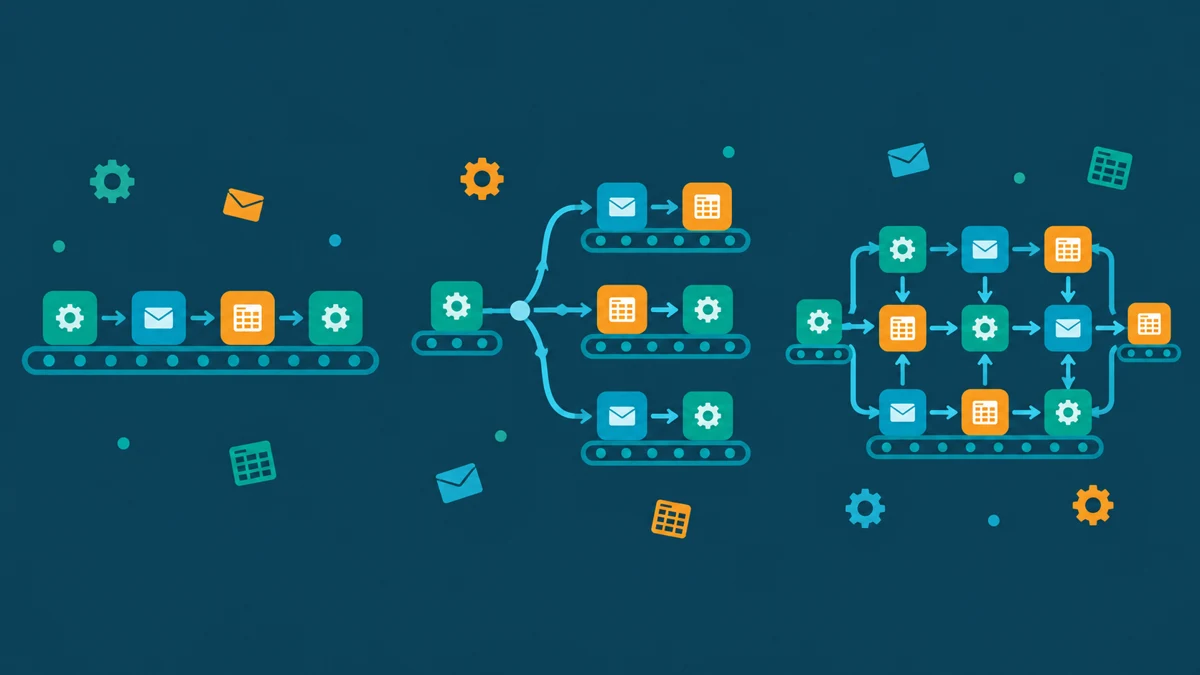
Zapier vs Make vs n8n is the wrong fight to watch when you run a one-person business. All three connect your apps, all three have visual builders, and all three will happily take your money. The real question is narrower. Which one fits a company where you are the entire staff? The budget is your own pocket, and every hour spent fixing automations is an hour not spent on clients. This guide answers that question with current prices from each platform’s official pages. New to automation itself? Our beginner’s guide to AI automation comes before this one.
Key takeaways
- Zapier bills per task, Make bills per credit, n8n bills per workflow execution. The billing unit decides your real cost more than the sticker price.
- All three have a real free starting point: Zapier’s free tier starts at 100 tasks a month, Make’s free plan gives 1,000 credits a month with no time limit, and n8n’s Community Edition is free when you self-host it.
- Zapier is the easiest to learn, Make gives the most logic per dollar, and n8n rewards technical comfort with the lowest long-term cost.
- For most one-person businesses: start on Make’s free plan, graduate to n8n when volume or data control matters, and pick Zapier only when simplicity beats cost.
Table of contents
What changes when you are the whole company
Automation advice is usually written for teams. A team can assign someone to own the workflows and absorb a learning curve. A team splits a $69 monthly bill without noticing. You cannot. When the business is one person, three things dominate the decision. First, the real cost includes your hours: a cheap tool you babysit is expensive. Second, broken automations fail silently, and you are the monitoring department. Third, the tools you already use matter more than the tools a reviewer likes. Every connection you still have to build by hand is cost.
Keep those three weights in mind as we compare. They are why the “best” platform for a startup with ten people is often the wrong one for a freelancer with ten clients.
Zapier vs Make vs n8n: three ways to bill you
Each platform invented its own unit, and the unit shapes your invoice. Zapier counts tasks. Every step in a Zap that successfully moves data or completes an action uses a task, while triggers are free. Make counts credits. Each module action in a scenario counts as one credit, like adding a Google Sheet row or fetching Gmail data. n8n counts workflow executions. One full run of a workflow is one execution, with unlimited steps inside it, on every paid plan.
The consequence is not subtle. A five-step Zap that processes 100 orders uses 500 tasks. The same flow in Make uses roughly 400 to 500 credits. In n8n it uses 100 executions, because steps are free inside a run. Complex, step-heavy automations are where n8n’s model quietly wins, and where Zapier’s meter runs fastest. Simple two-step glue, like “new form entry to spreadsheet,” costs little on any of them.
The free starting points
You can test all three without paying. That is exactly what a one-person business should do before committing. Zapier’s pricing page starts its task selector at 100 tasks per month on the free tier, limited to two-step Zaps. Make’s free plan includes 1,000 credits per month with no time limit, and its visual builder is fully usable there. n8n’s Community Edition, available on GitHub, is free when you host it yourself. The catch: you become the hosting provider. That means a small server and basic command-line comfort.
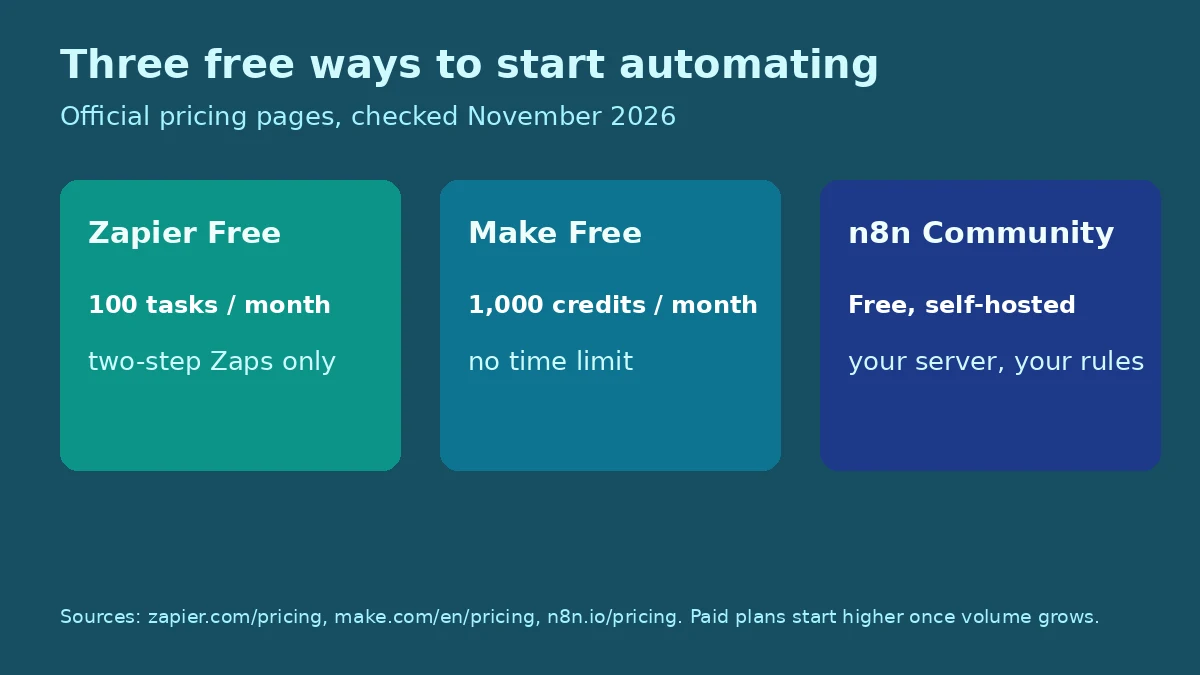
Free starting points per each platform’s official pricing pages, checked November 2026. Zapier’s free tier is limited to two-step Zaps; n8n’s free path requires self-hosting.
A practical week looks like this. Build your single most annoying manual task on Make’s free plan. Then rebuild the same task on Zapier’s free tier. Notice which builder made more sense to your brain. That hour of comparison saves months of regret.
Zapier: the easy one
Zapier’s advantage is friction, or rather the lack of it. Its builder reads like a sentence. Its app directory covers more than 9,000 services, per its own site. When a connection exists, it usually just works. Paid plans start at $19.99 per month on annual billing, with the Team tier from $69 per month. For a solo operator who values an hour of their time at real money, that simplicity has a price. Often it is worth it.
The weaknesses show up as you grow. Multi-step, branching, or looped logic gets awkward, the task meter punishes chatty workflows, and costs climb steeply with volume. Zapier is also where beginners over-automate, because building feels easy. Six months later they pay for forty Zaps, of which twelve matter. If your needs are “when X happens, put it in Y,” Zapier is the fastest path on this list. If your needs look like a flowchart, read on.
Make: the value one
Make’s builder thinks in diagrams: modules on a canvas, routes that branch, filters between steps. That visual logic is why people who outgrow Zapier’s straight lines land here. Credits are the meter, one per module action in most cases. The free plan’s 1,000 monthly credits stretch surprisingly far for low-volume glue work. Paid tiers (Core, Pro, Teams) add credits and features like more active scenarios and faster scheduling.
The trade is learning curve. Make asks you to understand data structures earlier: arrays, iterators, aggregators, and error handlers are everyday vocabulary, not advanced electives. Willing to spend a weekend learning? The payoff is real logic at a fraction of Zapier’s price. Our guide to automating boring tasks with free tools pairs well with Make’s free plan as a first project list.
n8n: the technical one
n8n is the engineer’s answer. It is source-available and can be self-hosted free via its Community Edition. Its cloud plans price by execution with unlimited steps per run. Starter costs 20 euros per month on annual billing; Pro costs 50 euros with 10,000 executions and workflow history. All plans include unlimited users and workflows. Because steps are free inside an execution, heavy workflows with dozens of steps cost the same as light ones. That flips the economics that make Zapier expensive.
The honest costs are elsewhere. Self-hosting means you own updates, backups, uptime, and security. The cloud plans assume you already think in APIs and JSON. n8n also shines when client data cannot casually flow through a third-party cloud. You can keep everything on your own server. Choose it when you are technical, when volume is high, or when data control is a requirement. If that sentence describes you, nothing else on this list competes.
A note on the AI features
All three now sell AI steps, and all three bill them into the same pool as everything else. Zapier folds AI actions into its shared task allocation. Make offers AI Agents in beta and runs custom JavaScript or Python at 2 credits per second of execution. n8n bundles monthly AI credits, 2,300 on Starter and up to 13,700 on Pro, and on self-hosted instances you bring your own model key with no credit limit. The pattern matters: AI is not a separate product on any of these platforms. It is a faster way to spend the same unit you already budgeted.
For a one-person business, start AI use where it pays back immediately, like classifying inbound email or drafting first-pass replies. Skip elaborate agent constructions until the boring stuff already runs reliably.
The three at a glance
| Question | Zapier | Make | n8n |
|---|---|---|---|
| Billing unit | Task (each successful step) | Credit (each module action) | Execution (whole run, unlimited steps) |
| Free start | 100 tasks/month, two-step Zaps | 1,000 credits/month, no time limit | Free Community Edition when self-hosted |
| Entry paid plan | From $19.99/month (annual) | Core plan; extra credits purchasable | 20 EUR/month Starter (annual) |
| Learning curve | Lowest; sentence-style builder | Moderate; visual branching logic | Highest; APIs and JSON comfort |
| Best solo fit | Simple glue, zero babysitting | Real logic on a budget | High volume or data control |
Which one for your situation
Do you bill by the hour and treat automation as plumbing, not a hobby? Start with Zapier’s free tier and upgrade only when the task meter actually bites. If you enjoy systems and want the most capability per dollar, Make’s free plan is the default answer for a one-person business in 2026. It is where I would send a freelancer automating client onboarding or invoice reminders. Are you technical, handling sensitive client data, or expecting thousands of runs a month? Go straight to n8n and skip the migration later. Still unsure how the three think about workflow design generally? Our earlier Zapier vs Make vs n8n workflow-fit comparison walks that angle in detail.
Common mistakes
The first mistake is comparing sticker prices instead of billing units. A cheap plan on the wrong unit costs more than an expensive plan on the right one. Second is automating before simplifying: no platform fixes a process that should not exist. Third is building everything on a free tier with no alerting. The first you hear of a failure is a client asking where their invoice went. Fourth is picking the powerful tool to look professional. Power you do not use is just a learning curve you did not need.
Quick answers
Is Zapier worth it for a one-person business?
Yes, when simplicity is the priority. Its free tier handles light two-step automations. Paid plans from $19.99 per month buy you the easiest builder and the largest app directory. If your workflows stay simple, the premium is a fair trade for your hours.
Is n8n really free?
The Community Edition is free when you self-host it, per n8n’s pricing page. You supply the server, the updates, and the backups. n8n’s hosted cloud starts at 20 euros per month billed annually. Free here means free of license fees, not free of responsibility.
Which platform is cheapest at high volume?
Usually n8n. It bills per execution with unlimited steps, so step-heavy workflows do not multiply your bill. Make is typically next, and Zapier’s per-task model costs the most as steps and volume grow. Run your own numbers with one real workflow before committing.
Do I need to code to use Make or n8n?
No for Make, mostly no for n8n’s cloud plans. Make is visual throughout, though its data concepts take a weekend to click. n8n stays visual for standard work, but comfort with APIs and JSON unlocks its real value, and self-hosting needs basic server skills.
Can I switch platforms later?
You can, but workflows do not export cleanly between them. A switch means rebuilding. Keep a simple inventory of what each automation does, in plain language, outside the platform. One page is enough. That document makes any future migration a weekend job instead of an archaeology dig.
Sources
- Zapier Plans and Pricing (task-based billing, free tier from 100 tasks, Professional from $19.99/month, Team from $69/month, 9,000+ apps)
- Make Plans and Pricing (credit-based billing, free plan with 1,000 credits/month and no time limit, one credit per module action)
- n8n Plans and Pricing (execution-based billing with unlimited steps, Starter 20 EUR/month and Pro 50 EUR/month billed annually, free self-hosted Community Edition)




2 Comments